The Perfect Extensions for Your WSCAD ELECTRIX

Automation Interface
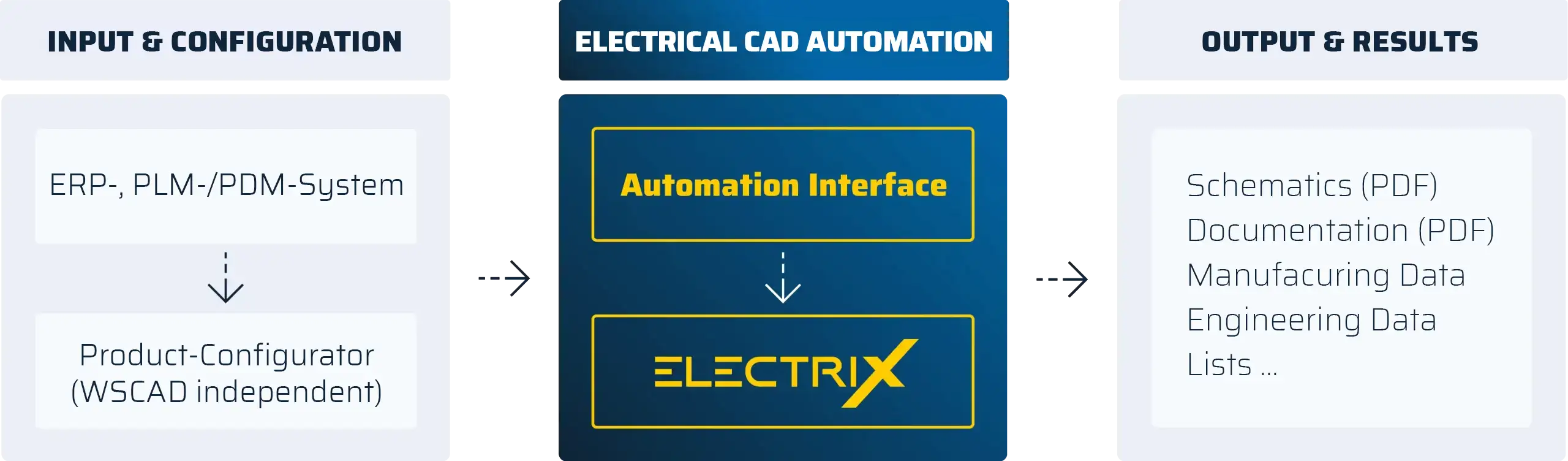
- Interface for connecting an external configurator that starts WSCAD in the background and generates the schematics
- Automated generation of the complete documentation including schematics and lists in the stored languages
The WSCAD Automation Interface (AI) is an interface between a freely selectable external product configurator and the WSCAD software. Using the AI, the product configurator can trigger the WSCAD software to generate complete E-CAD schematics and documentation automatically.
The entire process runs as a background process in silent mode without user interaction. The WSCAD software does not need to be started manually by the user.
Important! The add-on Project Wizard is required for generating schematics. The configurator controls which macros are used for schematic generation. The complete project documentation can be translated automatically into all languages maintained in the dictionary and exported as PDF files.
Application and Benefits:
The add-on is ideal for generating schematics and documentation using external product configurators.
Available For:
The add-on can be used together with the WSCAD software products Professional, Installation, BA Project and Ultimate.

CE Expert
Wire Routing
- Automatic calculation of wire lengths
- Automatic calculation of cable duct fill levels and duct separation according to potential
- Control of automatic wire routing in cable ducts using routing tags
Import of Wiring Information from Excel Lists
- Creation of control cabinet layouts and automatic cable routing without prior schematic generation
- Import of control cabinet data from third-party systems
3D View and Collision Detection
- 3D view for improved spatial visualisation of the control cabinet including installed components
- Precise and optimised placement of components, especially in compact layouts
- Definition of restricted areas and collision checking of components within the control cabinet
- Export of the control cabinet model in exchange formats such as HTML, STL or OBJ)
Interfaces to Manufacturing Machines
- Automatic export of manufacturing data for wire and cable harness assembly, label printing or mechanical processing of control cabinet components on NC manufacturing machines
- Data transfer to *Komax, *CadCabel, *Steinhauer PWA, *Rittal Perforex, *Steinhauer drilling machines and *Steinhauer eCAB System
- Convenient generation of drilling data for standard materials such as mounting rails
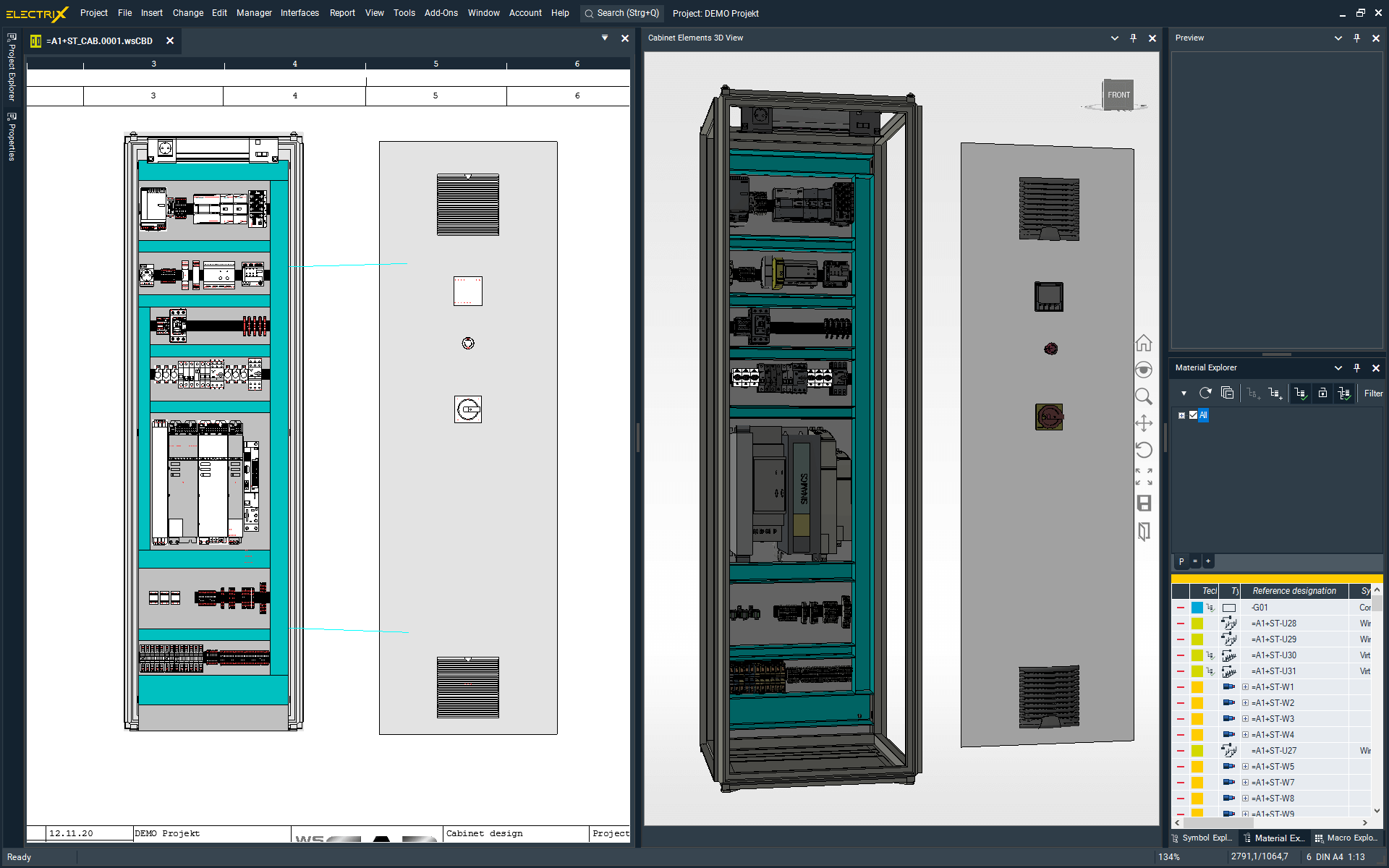
The Cabinet Engineering (CE) Expert add-on extends the functionality of the WSCAD Cabinet Engineering discipline. The add-on includes a routing function for calculating wire lengths within the control cabinet. In addition, numerous interfaces for control cabinet manufacturing are available. 3D STEP data can be used for improved visualisation and collision checking. A 3D model can be assigned to each component within the part database. In combination with the add-on, a realistic 3D model of the control cabinet can therefore be generated.
Application and Benefits:
The add-on is essential for companies that require manufacturing data for cutting machines, drilling machines and cable harness suppliers. Dedicated information for wire end treatment can be assigned to component connection points. The routing function calculates wire lengths and cable duct fill levels within the control cabinet. Cable duct utilisation is displayed visually using colours within the layout drawing to ensure correct cable duct sizing. The data from the control cabinet layout can be transferred directly to manufacturing machines.
Functions:
- Calculation of wire lengths within the control cabinet
- Colour-coded display of cable duct utilisation
- Assignment of wire end treatment to component connections
- 3D visualisation of the control cabinet
- Collision checking between components and cabinet door
- Interfaces to: CadCabel, Komax, Steinhauer PWA, Kiesling Perforex, Steinhauer drilling machines, Steinhauer eCAB System, SolidWorks Material Export
Standalone CE:
Project management functions such as cover sheet, table of contents and material lists. Components from other disciplines can be displayed and linked but cannot be edited.
Available For:
The add-on can be used together with the WSCAD software products Professional, Installation, BA Control and BA Project.

EI EXPERT
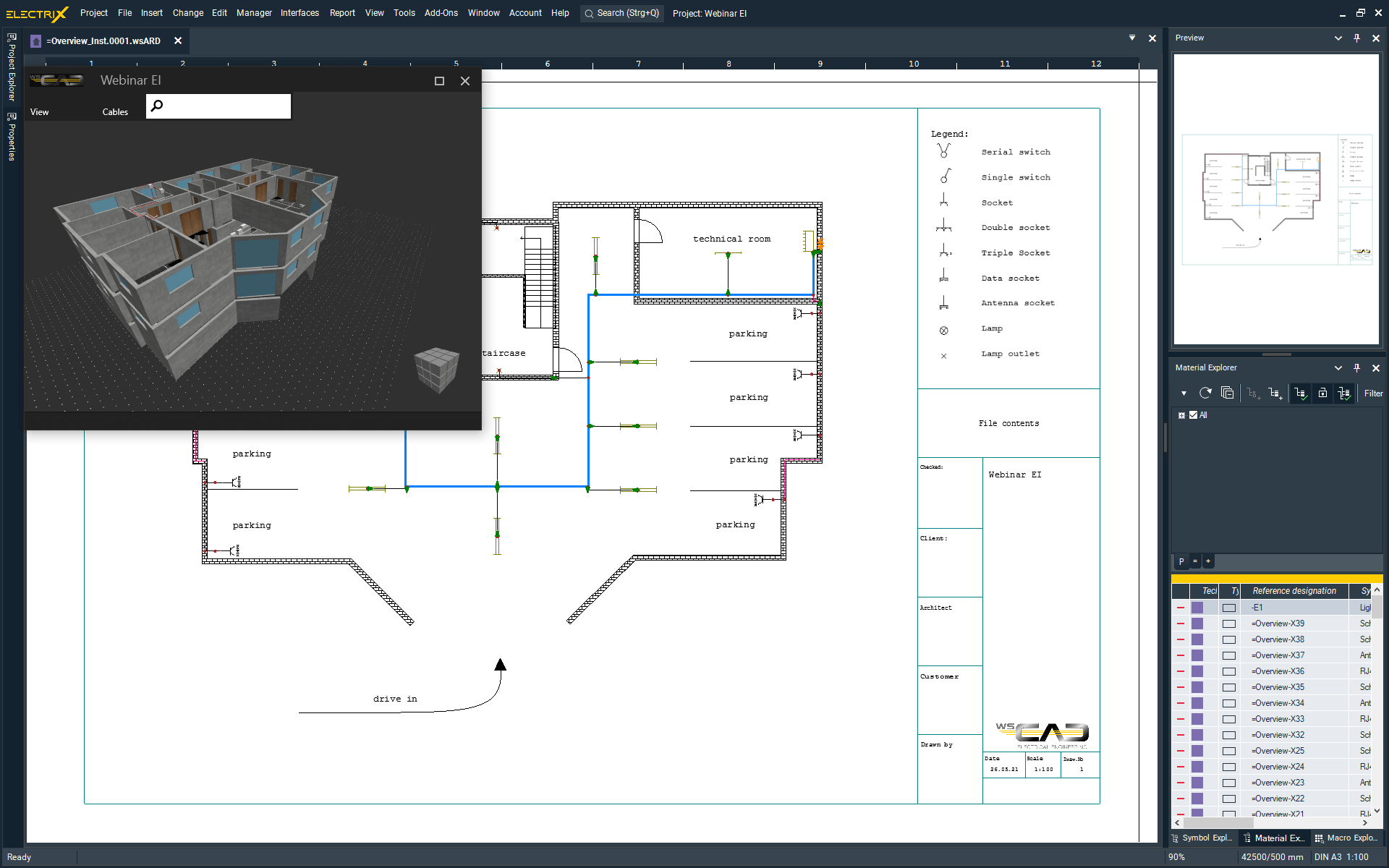
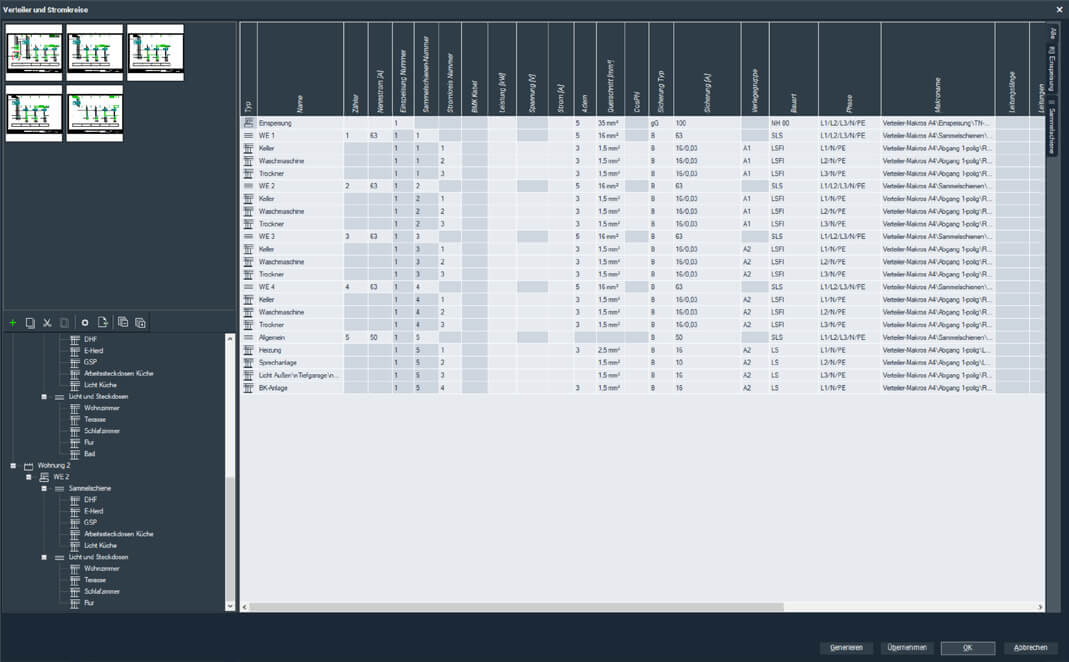
The Electrical Installation (EI) Expert add-on extends the functionality of the WSCAD Electrical Installation discipline. In addition to power distribution in buildings, the spatial positioning of devices and systems within the building as well as machine wiring can also be represented. Thanks to scale-based representation, cable lengths can be calculated accurately. Planning of power distribution systems can be carried out very efficiently using the circuit management function together with the schematic generator.
Application and Benefits:
Adding electrical installation information in DXF/DWG format including logical linking with devices. As a basis for engineering tasks, electrical engineers often receive floor plans created in third-party formats. These are usually provided as DXF/DWG files without logical information. For detailed engineering, however, information from the floor plan is required in combination with the electrical documentation. For this reason, it is necessary to add logical information to the imported floor plan or redraw it if required.
Functions:
- 3D building view
- Circuit generator
- Drawing of cable routing systems with automatic cable length calculation
- Cross-references from layout and floor plans to other disciplines
- Material lists generated from the installation plan
Available For:
The add-on can be used together with the WSCAD software product Professional. It is included as standard in the products Building, Installation, BA Control, BA Project and Ultimate.

FE EXPERT
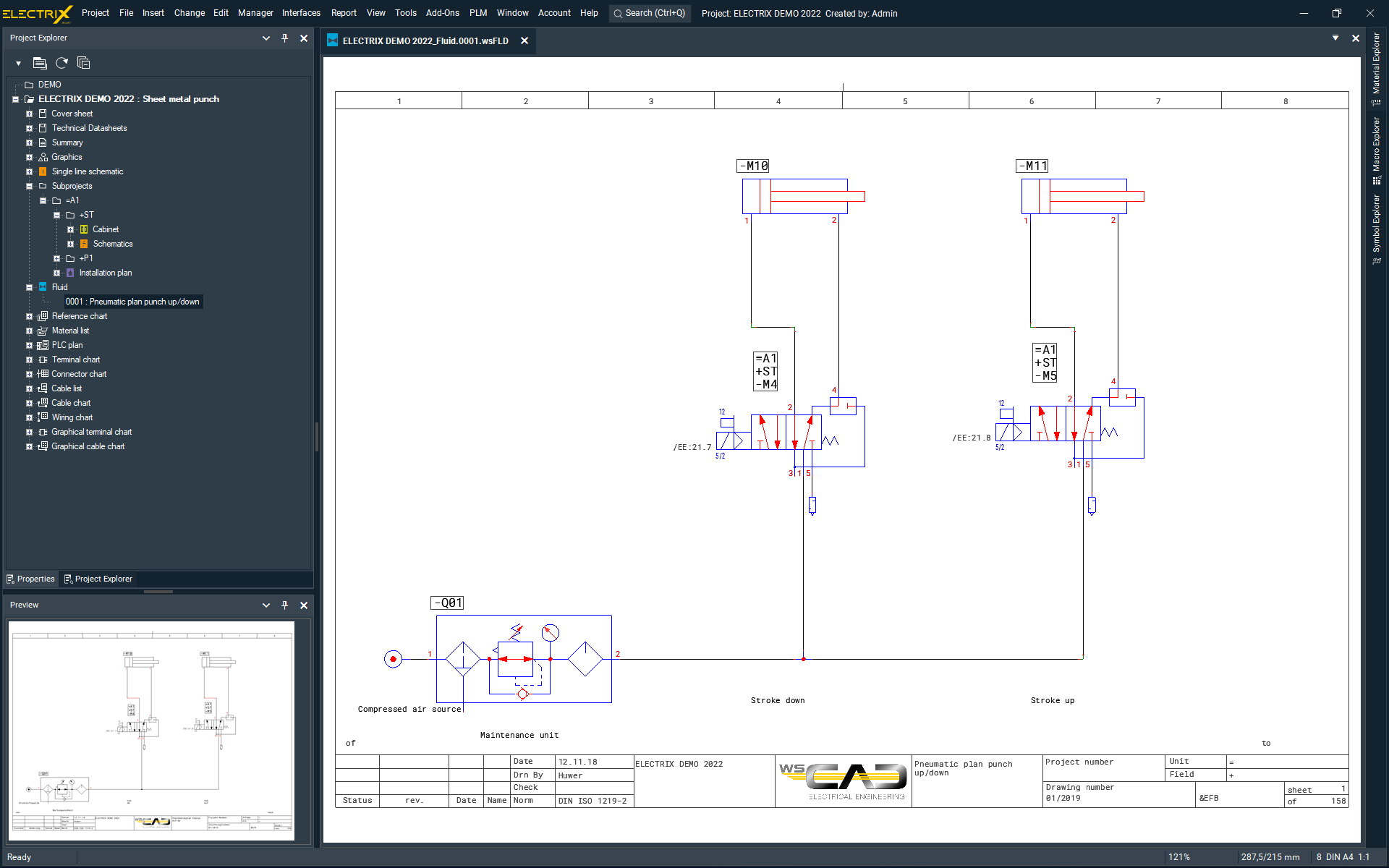
The Fluid Engineering (FE) Expert add-on extends the functionality of the WSCAD Fluid Engineering discipline with functions for the engineering and documentation of hydraulically and pneumatically controlled systems used in industrial and plant engineering. Fluid Engineering includes all advantages of the WSCAD Electrical Engineering software together with dedicated fluid engineering functions. Designers, developers, maintenance personnel and service providers therefore have access to a comprehensive set of tools for integrated engineering and documentation of all mechatronic tasks quickly, intuitively and efficiently.
Application and Benefits:
Engineering of hydraulic and pneumatic components within a system with continuous linking to electrical engineering documentation. Use of a shared part database together with the other WSCAD disciplines and clear project engineering within an integrated system structure. The structure can be organised in accordance with DIN EN 81346. Use of the WSCAD dictionary for translation of documentation together with the other WSCAD disciplines.
Functions:
- Planning of hydraulically and pneumatically controlled systems or system sections
- Use of the central part database
- Convenient import of part data including symbols from the online portal wscaduniverse.com
- Extensive symbol library in accordance with DIN ISO 1219-2
- Part-oriented working and linking to other disciplines
- Automatic assignment of hose identifiers
- Connection diagrams with output of stored pipe information
- Generation of hose lists
- Database for translation of text blocks into any number of languages using Unicode character sets
- Automatic translation of schematics into any number of languages from the database
Standalone FE:
Components from other disciplines can be displayed and linked but cannot be edited.
Available For:
The add-on can be used together with the WSCAD software products Professional, Installation and BA Project.

PI EXPERT
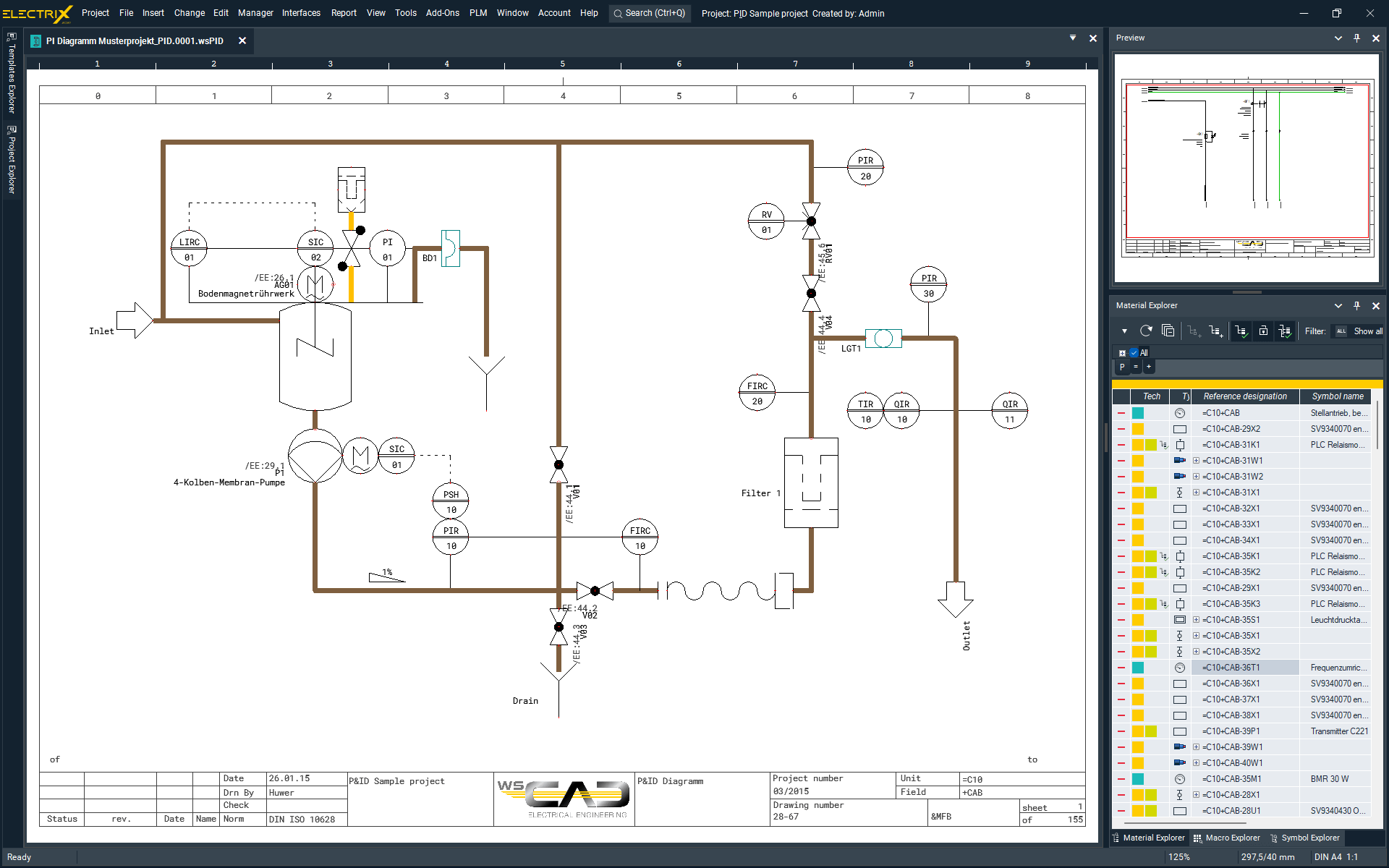
The Piping & Instrumentation (PI) Expert add-on extends the functionality of the WSCAD Piping & Instrumentation discipline for piping and instrumentation diagrams (P&ID). Using the add-on, simple process flow diagrams for plant and process engineering can be created. The central element is the intelligent linking of components from the plant diagram with the electrical documentation. This particularly includes measuring points together with the associated measuring point numbers, as well as all other assemblies such as valves, actuators and motors. This interdisciplinary functionality is required both to maintain an overview of the interaction between devices and measuring points during engineering and to enable faults within the system to be identified and corrected quickly. Using the measuring point management function, all devices associated with a measuring point can be located and analysed quickly within the documentation.
Application and Benefits:
Adding process engineering information in DXF/DWG format including logical linking with devices. As a basis for engineering tasks, plant manufacturers often receive P&ID diagrams created in third-party formats. These are usually available as DXF/DWG files without logical information. For detailed engineering, however, information from the P&ID is required together with the electrical documentation. For this reason, it is necessary to add logical information to the imported P&ID or redraw it if required.
Functions:
- Project management functions such as cover sheet, table of contents and material lists
- Creation of P&ID diagrams
- Import of P&ID diagrams from DWG/DXF files
- Semi-automatic transfer of measuring point information from DXF/DWG drawings
- Symbols according to DIN 10628-1
- Media lines according to DIN 2403
- Central product database
- Access to complete product data from the online portal wscaduniverse.com
- Linking of P&ID measuring points with other disciplines
- Assignment of measuring points to symbols across all disciplines
- Display of measuring point numbers on symbols across all disciplines
- Insertion of blank lines within measuring point assignments in symbols
- Import/export of measuring point lists from Excel or Access files
- Measuring point manager
- Automatic numbering of measuring points
- Overview of devices assigned to measuring points
- Fast navigation between measuring point components within the measuring point manager
- Sorting, search and replace functions within the measuring point manager
- Import of DXF/DWG, PDF, JPG, PNG and other formats
- Export to PDF, DXF/DWG, Excel and XML
Standalone P&ID:
Components from other disciplines within the project can be displayed and linked but cannot be edited.
Verfügbar:
The add-on can be used together with the WSCAD software products Professional, Installation and BA Project.

PLM/ERPSYNC
- Automated synchronisation of product data from an ERP/PLM system (source) with the WSCAD part database (target)
- Simplifies consistent product data management
| Freely selectable synchronisation intervals: | Synchronisation is performed at configurable intervals |
| Access logging: | Documentation of all accesses in a log file |
This add-on enables automated synchronisation of the product data from your PLM/ERP system with WSCAD. The synchronisation intervals can be configured freely. The WSERP SYNCTOOL detects changes to part data within an ERP exchange database (source database) and transfers them to the WSCAD part database (target database). Both databases are located on an SQL server. In addition, the tool logs all accesses and can store them in a history file. The WSERP SYNCTOOL can be started from any PC either in server mode or client mode. Only a connection to the SQL server is required. The User Rights add-on is additionally required for correct operation, as it provides part administration functions.
Application and Benefits:
Consistent product data management, time savings because product data only needs to be maintained within the ERP system, and dedicated product data approval within WSCAD.
Functions:
- Synchronisation of product data between PLM/ERP system and WSCAD
- Configurable synchronisation intervals
- Defined approval process for product data
- Definition of discontinued and replacement parts
- Project protection
- against unauthorised access
- against accidental modifications by other users during transfer or editing without permission
- Protection of accompanying data by locking editors
- Locking of part administration (creation of new parts)
- Controlled release of
- processing functions
- editing functions
- administrative functions
- settings
- read-only mode
- interfaces for data export
- User management
- Controlled access to
- projects
- accompanying data
- functions
- Free creation of user groups
- Default groups Admin & Standard
- Login optionally
- with username only
- with username and password
Available For:
The add-on can be used together with the WSCAD software products Professional, Installation, BA Control, BA Project and Ultimate.

PRO.FILE PLM
Integration of the PRO.FILE PLM System from PROCAD
- Project management and revision control: Check-in and check-out of projects from the PLM project management system
- Document management: Structured cross-department storage of technical documentation
- Product data transfer: Product data can be transferred to PRO.FILE for central management
- Product Lifecycle Management: Integration of WSCAD into company-wide PLM processes

Project Wizard
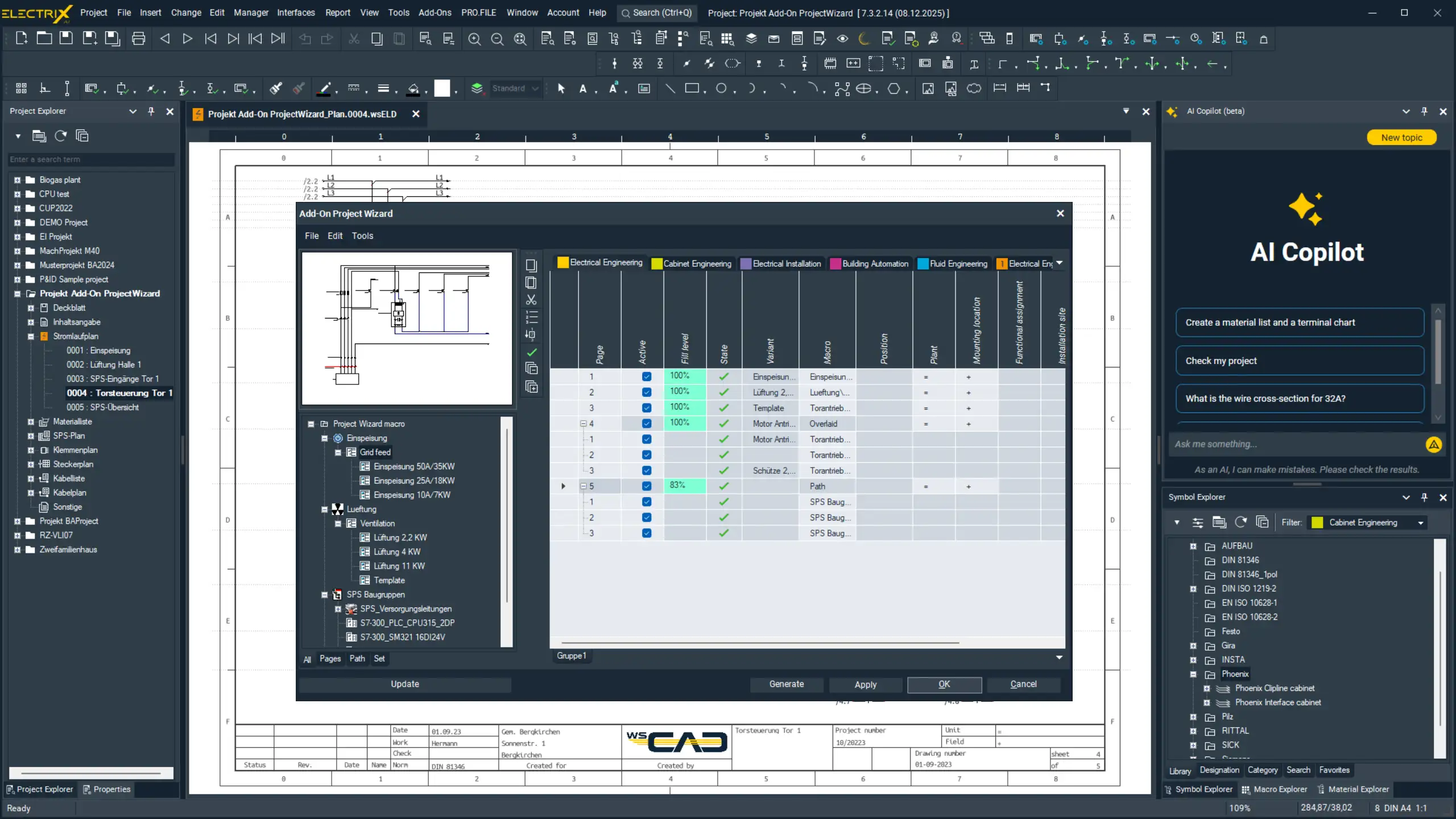
The Project Wizard for ELECTRIX is an intelligent design assistant for the automated generation of schematics, control cabinet layouts and system diagrams. Instead of creating pages manually, the add-on uses reusable macros as standardised design blocks to generate projects in a structured, fast and consistent way.
A key advantage is the consistent reusability: Macro sets can be saved and reused across multiple projects, allowing standardised engineering templates to be created. In addition, Project Wizard supports the import of external XML configurations and the integration of part databases so that existing data can be incorporated directly into the generation process.
The result is significantly faster project engineering together with a high level of quality and standardisation within the documentation. Changes can be controlled or activated specifically through individual macros, allowing even complex projects to be created in a controlled and structured manner.
Project Wizard is available in the Lite and Expert editions – from fast entry-level project generation with the free Lite version through to the fully featured Expert version for complex and highly automated engineering projects.

User Rights
- Creation and management of users and group policies within WSCAD user groups
- Password-protected login function available
| Rights management: | Manage permissions for all users |
| Group management: | Manage permissions for individual groups |
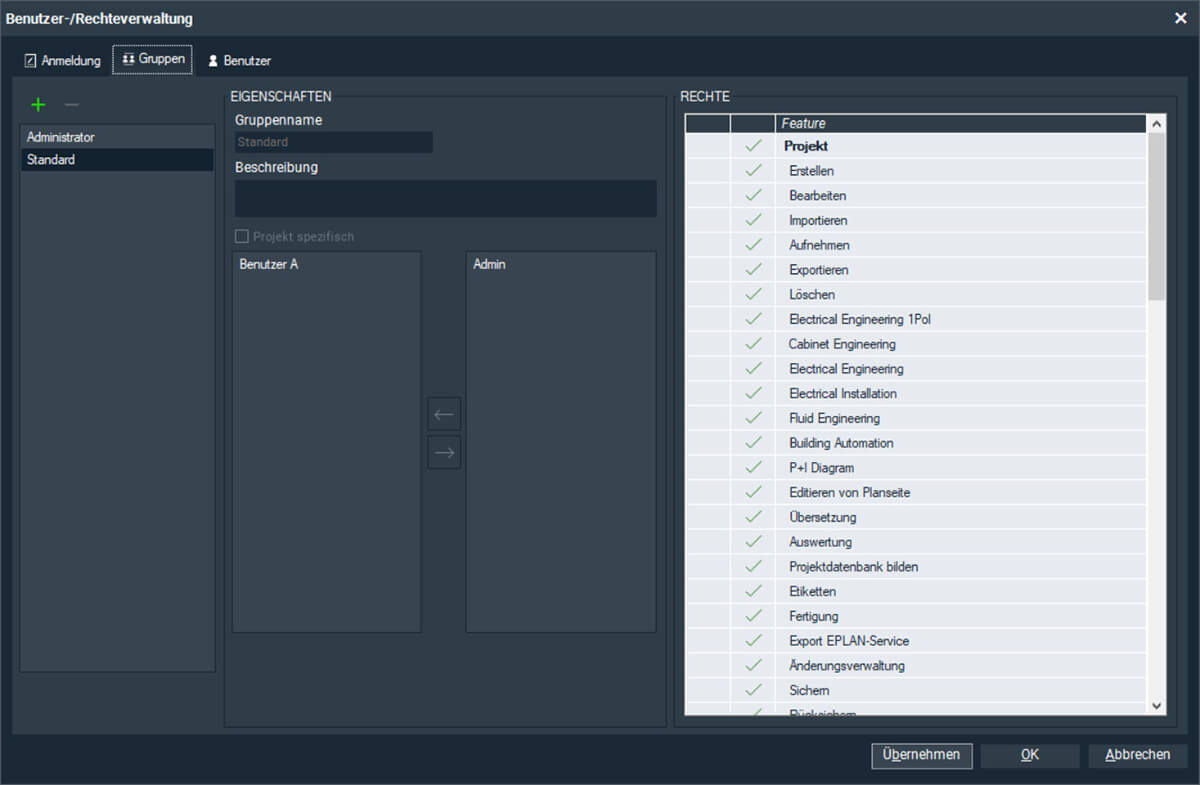
With the User Rights add-on, administrative user control can be implemented to manage access to functions within the WSCAD software. As administrator, you can create groups and users. Users are assigned to groups, and individual permissions can be defined for each group. This also enables clear control within working groups regarding who is permitted to maintain master data and who is responsible for symbols and macros.
The User Rights add-on is a prerequisite for the PLM/ERPSYNC add-on.
Application and Benefits:
The User Rights add-on is an important extension for working groups to define clear permissions and responsibilities. This prevents unintended modifications to master data and ensures that all designers work with the same material data, symbols and macros.
Functions:
- Login optionally
- with username only
- with username and password
- Project protection
- against unauthorised access
- against accidental modifications by other users during transfer or editing without permission
- Protection of accompanying data
- by locking editors
- Dedicated release of
- master data
- processing functions
- editing functions
- administrative functions
- settings
- read-only mode
- interfaces for data export
Available For:
The add-on can be used together with the WSCAD software products Professional, Installation, BA Project and Ultimate. All licences at the respective site must always be extended with the add-on.